Jaguar XJ8 / XJR Bluetooth Installation
X308 · 1998–2003 · XJ8, XJR, Vanden Plas, Sovereign, XJ Sport
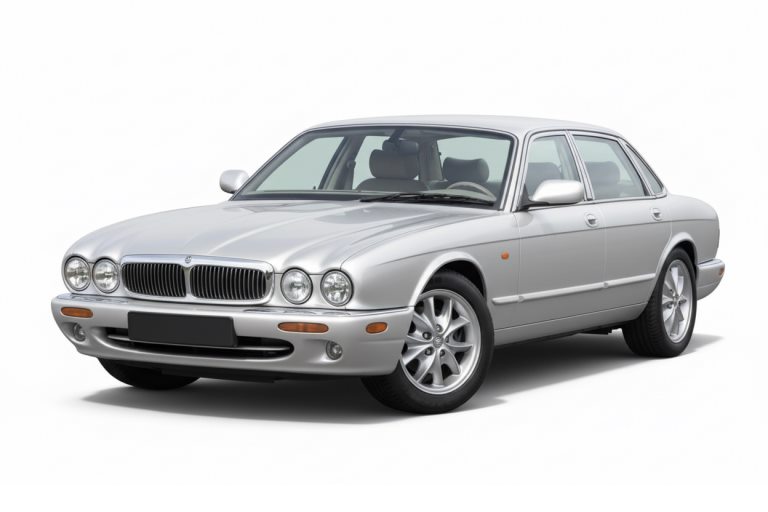
- XJ8, XJR, Vanden Plas, Sovereign, XJ Sport, Daimler
- 1998–2003, Standard and Premium audio
- Not the 2004+ XJ8: that is the X350
This guide shows how to fit the JAGAUX Bluetooth module to a Jaguar XJ8, XJR, Vanden Plas or any other X308 XJ. The module takes the place of the CD changer: one cable, no cutting, no soldering.
- Plastic trim tool
- Torx T30 screwdriver
- Phillips screwdriver
- 7 mm socket (boot install, cars with navigation)
The factory CD changer stops working once the module is connected.
Before you start: the radio code
The XJ8 radio asks for its security code whenever it loses power: when the battery is disconnected or the radio's main plug is unplugged. Have the code ready before you begin. No code card? The radio's serial number is on the label on its casing: enter the last 5 digits in our free Jaguar radio code generator and it gives you the code. On Premium cars the module connects in the boot and the radio stays in place, so the radio will not ask for the code as long as the battery stays connected.
Which plug does your XJ8 have?
The fitting is the same on every XJ8. The only difference is the socket: at the back of the radio, or at the amplifier in the boot.
Ai-Net plug at the radio
- 1998–1999, any audio
- 2000–2003 with Standard audio, no navigation
Navigation, no amplifier
- 2000–2003 with factory navigation
- Standard audio, no amplifier
- The navigation and the CD changer are both disconnected
Premium amplifier on the rack
- 2000–2003 with Premium audio
- The amplifier sits above the CD changer
Is my 2000+ XJ8 Premium?
- Open the boot and remove the cover over the CD changer rack.
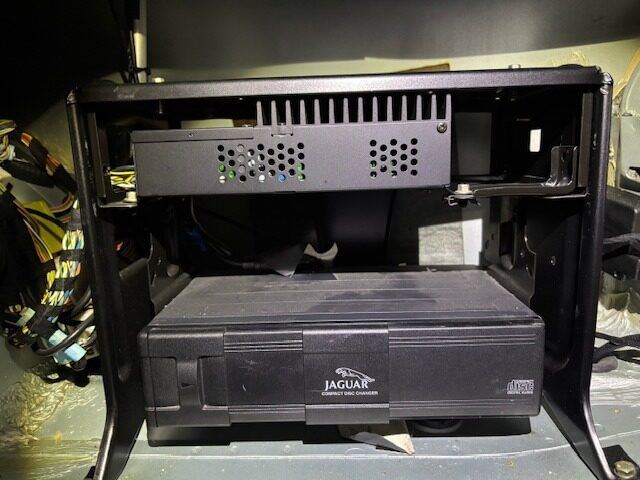
- A finned amplifier on the rack above the changer means Premium: the module connects in the boot.
- No amplifier means Standard: the module connects behind the radio.
- Cars before 2000 always connect at the radio, whatever the audio system.
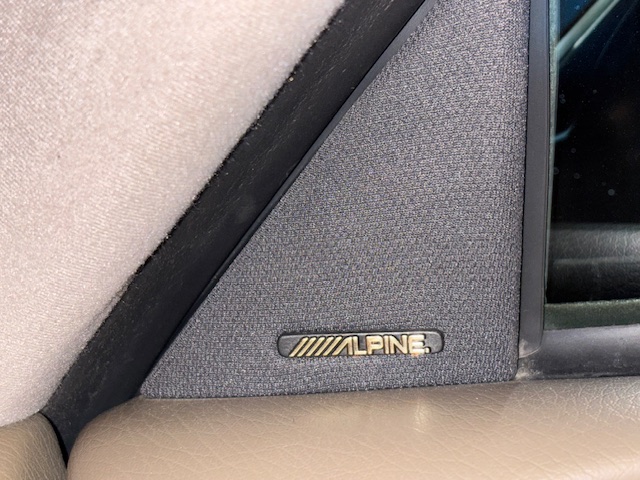
Alpine badges: a hint, not proof
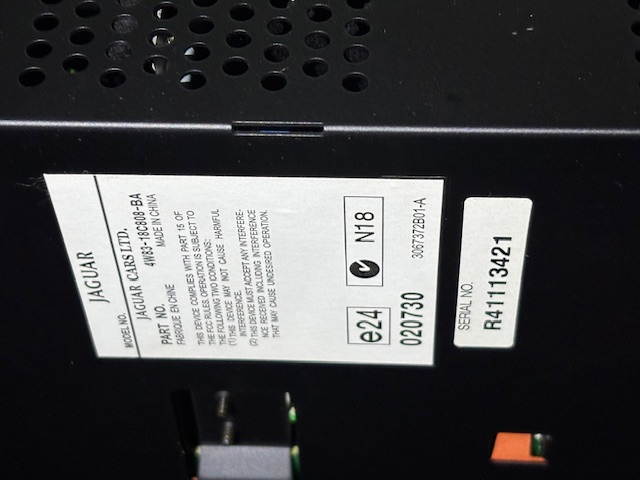
On Premium cars the speaker grilles usually carry the Alpine name. Standard cars have plain grilles. But speakers and grilles are often replaced over twenty years, and Premium parts fit Standard cars too, so a badge alone can mislead. The amplifier on the rack is the reliable sign. On it you will find a Jaguar label with its part number.
Remove the XJ8 radio and plug in the module
The module takes its power from the same plug and sleeps when the ignition is off, so it cannot drain the battery.
How to remove the XJ8 radio
- Move the selector to D.
- Lift the J-gate surround with a plastic trim tool, starting at the rear edge.
- Undo the four Torx T30 screws of the J-gate plate, lift the plate and unplug its connectors.
- Lift out the wood veneer panel around the selector.
- Undo the two Phillips screws on the left and right of the console, below the radio.
- Ease the radio forward, lift it over the selector and rest it on a cloth.
Plug in the module
- While the radio is out, note its serial number from the label, in case it ever asks for the code.
- Unplug the CD changer lead from the back of the radio. If the car never had a changer, the socket is empty.
- Plug the JAGAUX cable into that socket. Line up the arrow marks and push straight in, without twisting.
- If it resists, pull back and check the marks. Forcing it bends the pins.
- Run the cable from behind the radio to the glovebox. That is the neatest place for the module.
- Refit the radio, veneer and J-gate in reverse order.
Watch it done
Where the socket is on your XJ8 radio
Turn the radio so the cover with the holes is on top and look at the back. The CD changer socket is always the round one in the bottom right corner. Your radio is one of these:
XJ8 1998–1999
XJ8 2000–2003
Premium XJ8: connect in the boot
XJ8 from 2000 with the Premium amplifier. On these cars the module never goes to the radio: the changer signal runs through the amplifier.
Where is the XJ8 CD changer?
On the audio rack in the boot, behind the trim. The rack can sit on the left, on the right or in the middle of the boot, depending on the car. From 2000 the Premium amplifier is always the same unit and always sits on top, above the changer.
- Remove the carpet trim around the audio rack.
- No navigation: reach through the opening to the back of the CD changer.
With navigation: undo the four 7 mm bolts, two on the sides and two on top, and slide the inner frame out. - Find the round CD plug at the rear left of the changer. Without a changer, it hangs behind the rack or at the end of the short lead from the amplifier.
- Unplug the changer and connect the JAGAUX cable to the amplifier's plug. Arrow marks together, push straight in.
- Refit the frame and the trim.
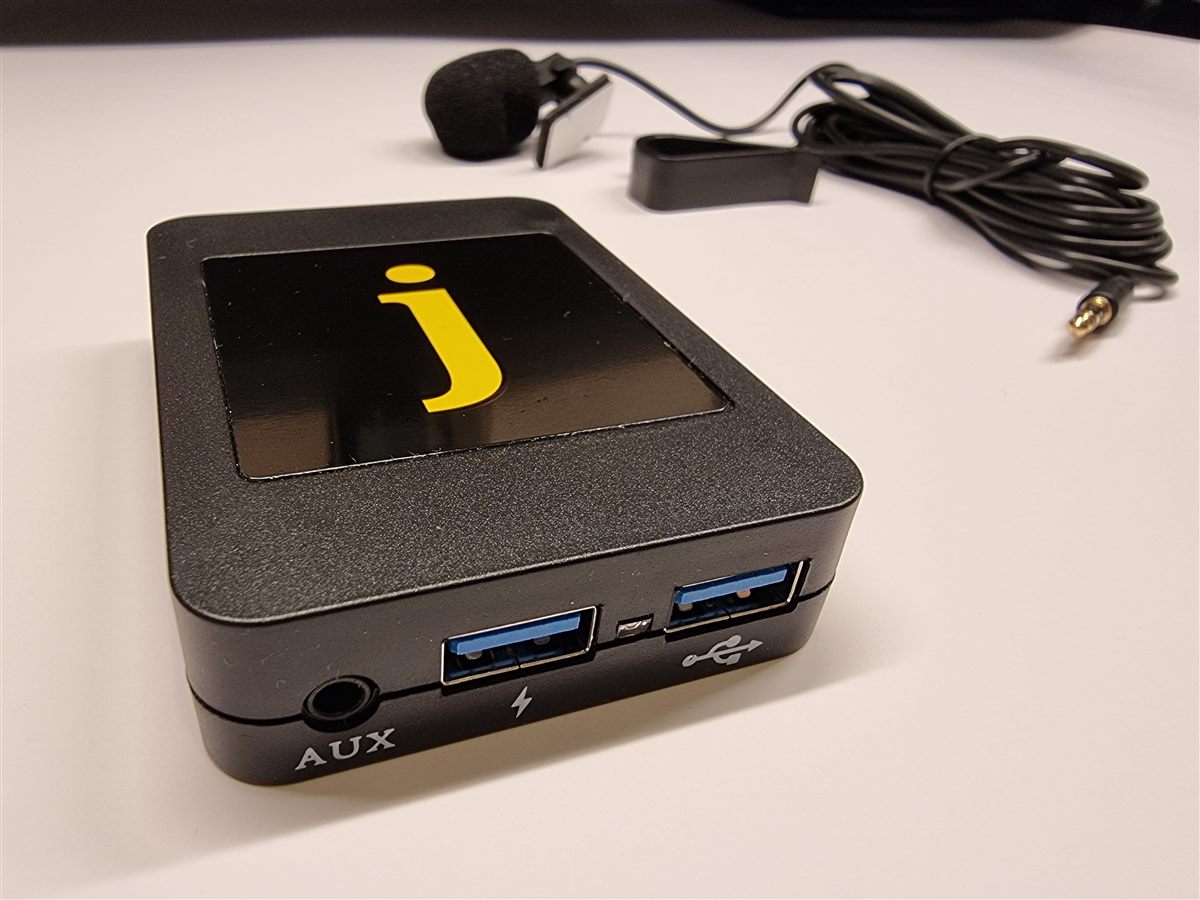
Where the module goes
The cable is up to 2.6 m long, so you have a choice.
- Leave it in the boot. Bluetooth music works from there. The 3 m microphone will not reach the front of the car, so for calls you need a microphone extension cable.
- Bring it into the cabin, usually into the armrest, where the USB ports and the AUX socket are easy to reach. See Step 3.
Noise filter and module
The noise filter is in every kit. It keeps alternator whine out of the speakers.
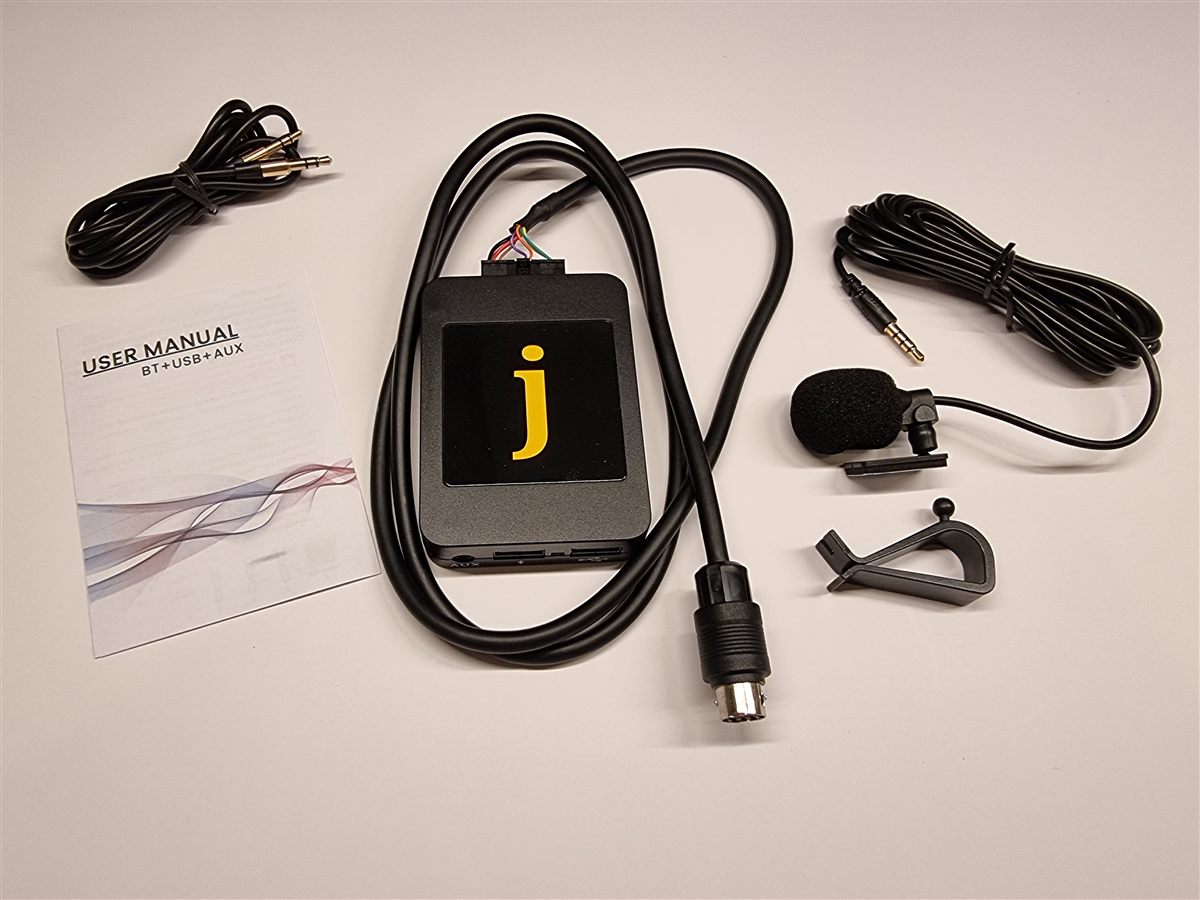
In the box
- JAGAUX module with its connection cable, Ai-Net plug
- Noise filter
- Microphone, 3 m, with visor clip
- AUX cable
- User manual for the phone connection
Connect
- Plug the noise filter straight into the module.
- Plug the JAGAUX cable into the filter. Press each plug until it locks.
- Put the module where you can reach the USB ports: in the glovebox, or in the armrest on Premium cars.
Premium: from the boot to the armrest
- Open the gap between the rear pillar trim and the parcel shelf with a trim tool and feed the plug end into the cabin.
- Run the cable under the rear seat backrest and cushion towards the centre console.
- Open the armrest, undo two screws on the latch, two on the hinge and one on the bracket, and lift the storage bin out. Pass the cable underneath.
- Guide the plug, never pull on it.
Microphone
Fit and route
- Clip the microphone to the headliner next to the mirror, or to the sun visor.
- Run the 3 m lead down the windscreen pillar, under the steering column, to the module.
- Plug it into MIC and press until it seats fully.
Keep the microphone away from air vents and the open window. Air noise is what callers hear most.
The car's own microphone, where fitted, cannot be used with the module.
Pair your phone and use it
Pairing
- Ignition on, radio on, press CD.
- On the phone, open Bluetooth and choose JAGAUX.
- Play music. The radio shows CD 1 · TRACK 01, as if a CD changer were playing.
You pair once. Several phones can be paired, one is connected at a time.
Set the volume once
- Phone volume all the way down, radio at about three quarters.
- Raise the phone until the sound starts to distort, then back off a little.
- From then on use the radio's knob.
Calls
- The ▶ key under the number pad, or the steering wheel button, answers an incoming call.
- The ◀ key declines it.
- Call volume is the radio's volume knob.
AUX
Any player with a headphone socket plugs into AUX with the cable from the kit. Remove the USB stick and pause Bluetooth music first, and control the player itself.
USB stick
- Format the stick as FAT32.
- Up to six folders. Buttons 1–6 choose a folder, like discs in a changer. Sub-folders are ignored.
- MP3 and WMA up to 320 kbps. Files over about 50 MB can stutter.
- Tracks play in the order they were copied, and the folder repeats from the start.
- After track 99 the display counts from 1 again. The order stays correct.
- Pause Bluetooth music or disconnect the phone before you plug the stick in.
Firmware updates
Updates are rare. Support sends one by email when it fixes something specific.
- Copy the file to an empty FAT32 USB stick.
- With the ignition on, plug the stick into the module.
- Wait about 30 seconds, remove the stick and pair the phone again if asked.
Sound on one side, CD does nothing, or the radio will not switch on
The factory plug has often sat untouched for twenty years and its contacts have taken a set. Inside the round Ai-Net socket of the JAGAUX cable are two springy tabs. Bending them slightly gives a firmer contact.
- Check that the plug is pushed fully home.
- Unplug it and look into the Ai-Net socket of the JAGAUX cable, key at the top.
- No power or CD not responding: with the widest flat screwdriver that fits, lever the horseshoe gently up. It is the U-shaped bracket under the bottom row of contacts.
- Sound missing on one side: rest the screwdriver on the flat tab along the top of the insert and press it gently down.
- Reconnect and test. Repeat once if needed.
XJ8 questions
Does it fit the XJR, Vanden Plas and Daimler?
My XJ8 is a 2004 or later
Will my CD changer still work?
My 2000+ car has navigation but no amplifier
My XJ8 has Alpine on the speakers. Is it Premium?
Can the module drain the battery?
The radio asks for a code after the install
Does it work with an aftermarket radio?
Sound
The music distorts
A whine that rises with engine speed
Crackling while the phone charges from the module
Clicks when I type on the phone
Connection and calls
The phone does not reconnect when I start the car
JAGAUX does not appear in the Bluetooth list
Does the radio show song titles?
Not fitted yet?
The JAGAUX module for the Jaguar XJ8, XJR or Vanden Plas (X308): Bluetooth music and calls, USB and AUX, noise filter in the box.
See the XJ8 module