Jaguar XK8 / XKR CarPlay and Android Auto: a 5.5″ Screen in Place of the Factory Sat Nav
The factory sat nav in the XK8 was impressive in its day, but the maps are long out of date and there’s no Apple CarPlay or Android Auto.
One of my customers found a neat way around it, and the result looks almost factory.
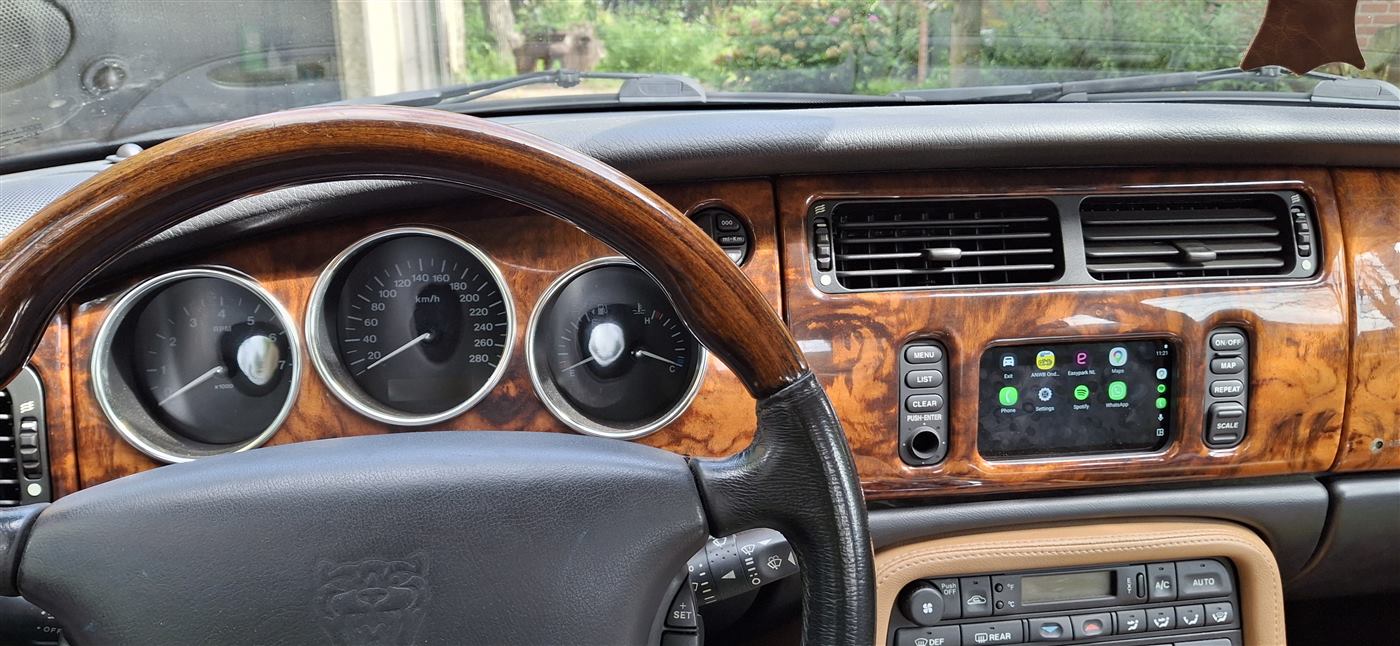
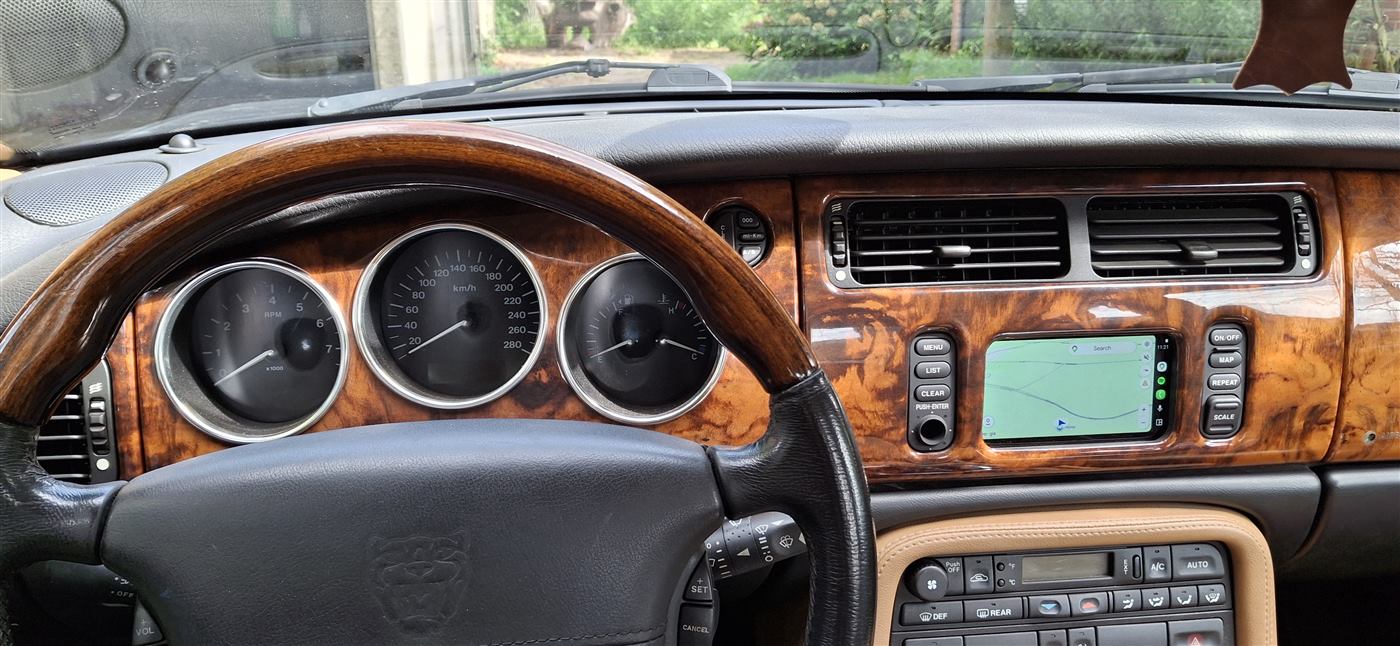
He fitted a 5.5″ CarPlay and Android Auto screen in place of the original navigation screen, and my Bluetooth module plays the music and calls through the car’s own radio and speakers. His car is a 2003 XK8 with the Standard audio system.
What you need
- Interphone RideSync55: a 5.5″ touchscreen made for motorcycles, with wireless Apple CarPlay and Android Auto. It’s the same size as the original XK8 screen. I don’t sell it, it’s available from motorcycle accessory shops.
- JAGAUX Bluetooth module for the XK8 / XKR: it plays music from your phone through the factory radio and handles hands-free calls: JAGAUX Bluetooth Adapter for Jaguar XK8 / XKR (X100).
How it works day to day
About 10 seconds after he turns the key, the phone connects, Spotify starts playing and Google Maps is on the screen.
Nothing to tap, nothing to plug in.
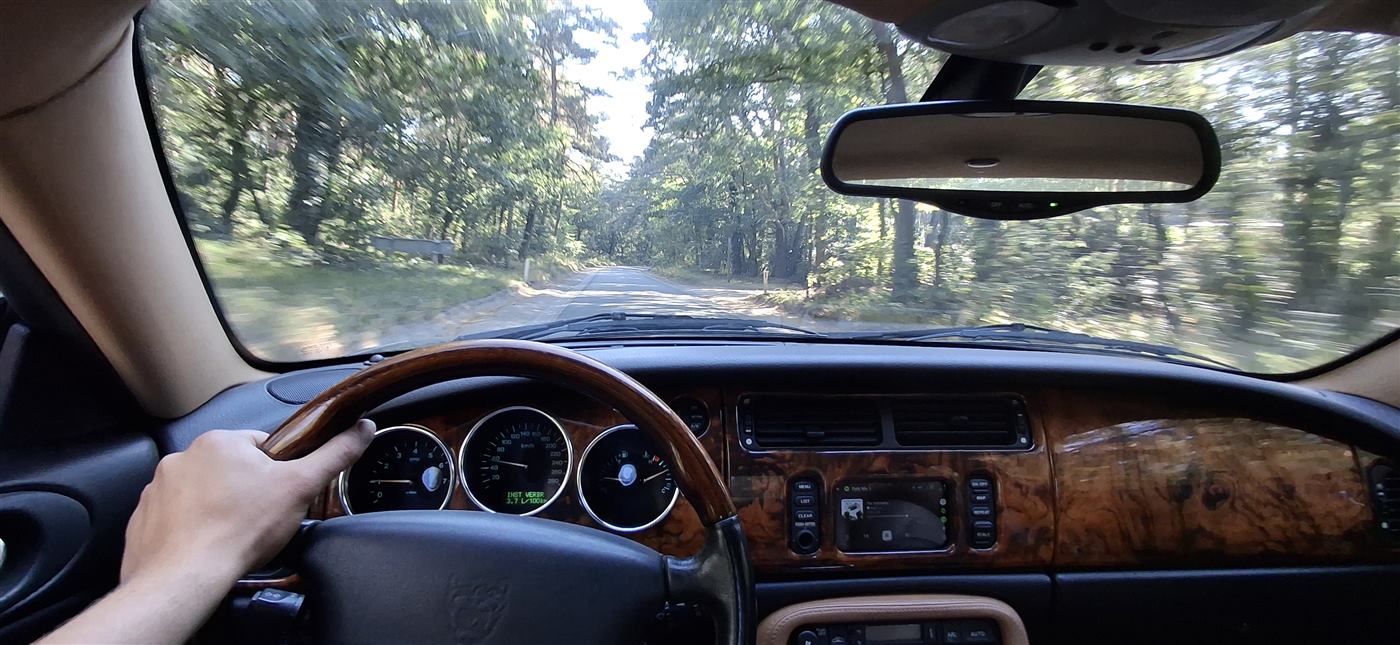
The original radio buttons and the steering-wheel buttons keep working. After a firmware update of the module, the next-track button on the steering wheel answers calls.
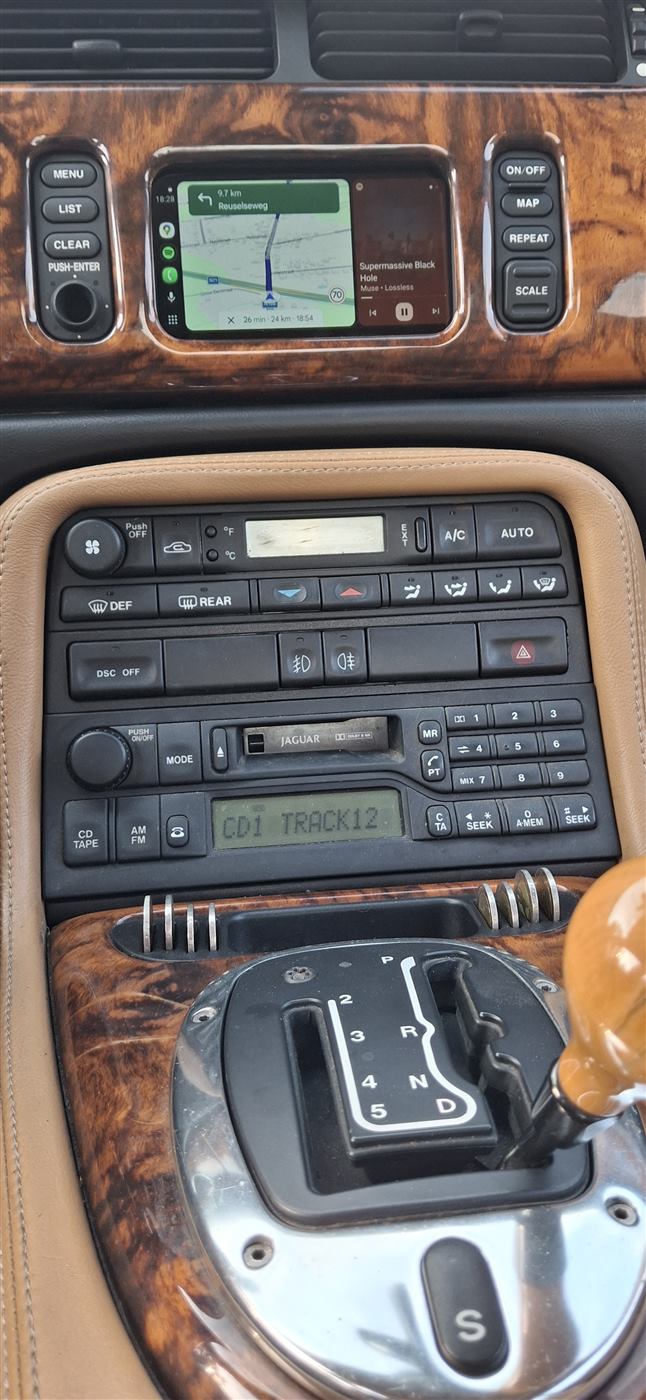
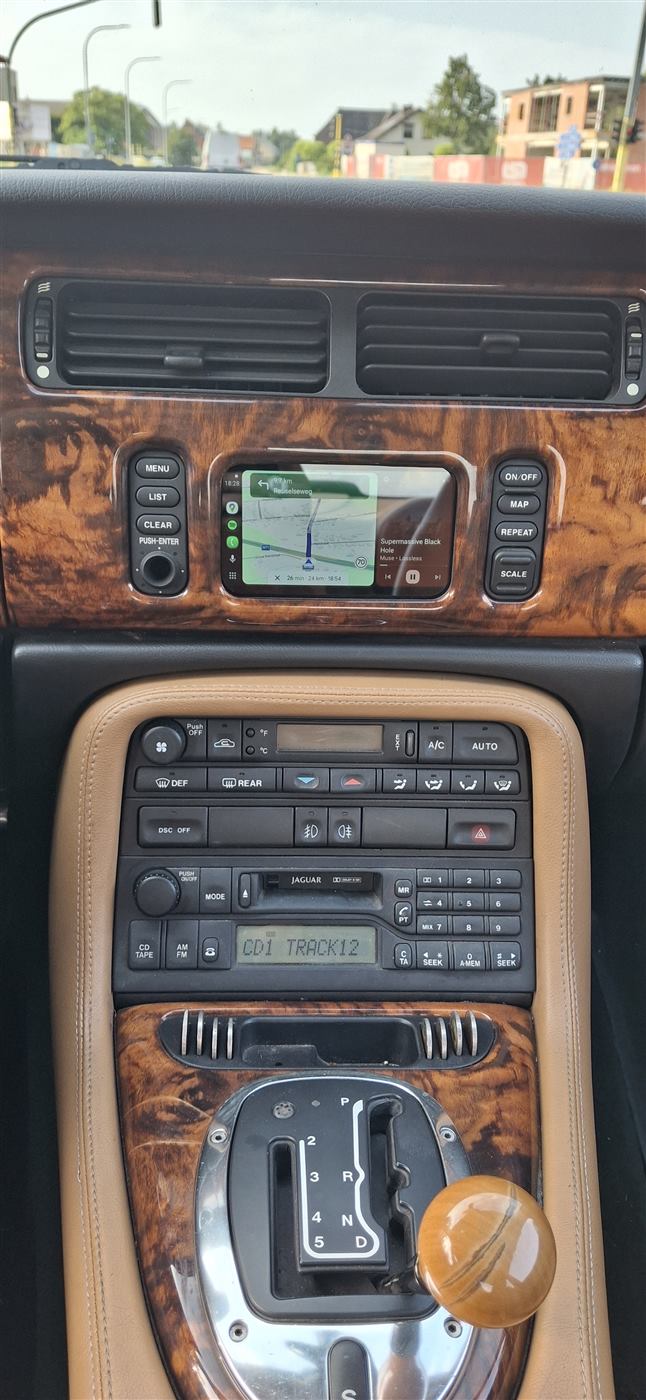
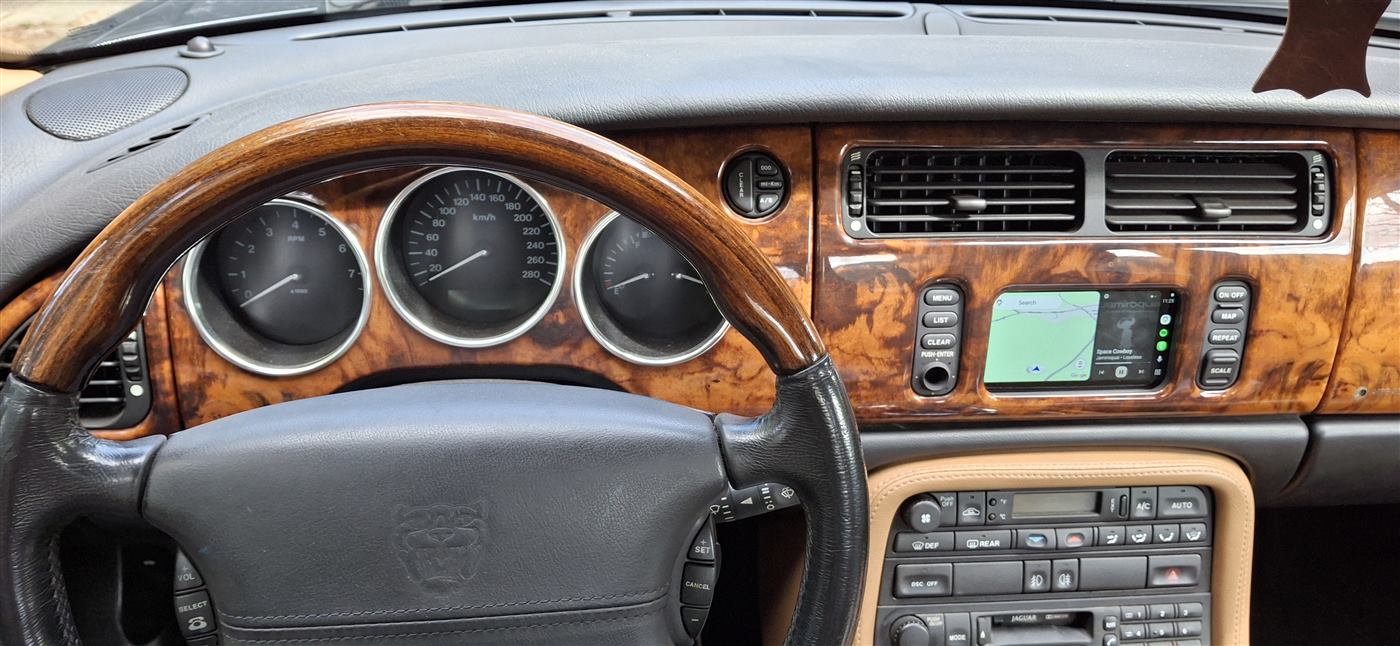
The new screen in the original bezel, with the factory radio and climate panel below it.
Music and calls
The screen shows the picture: maps, Spotify, messages. The sound doesn’t come from the screen.
It goes over Bluetooth to the JAGAUX module and plays through the car’s own speakers.
The phone is paired with both devices once. In the screen’s settings, audio and calls are switched off, so it only shows the picture. The JAGAUX module takes care of everything you hear.
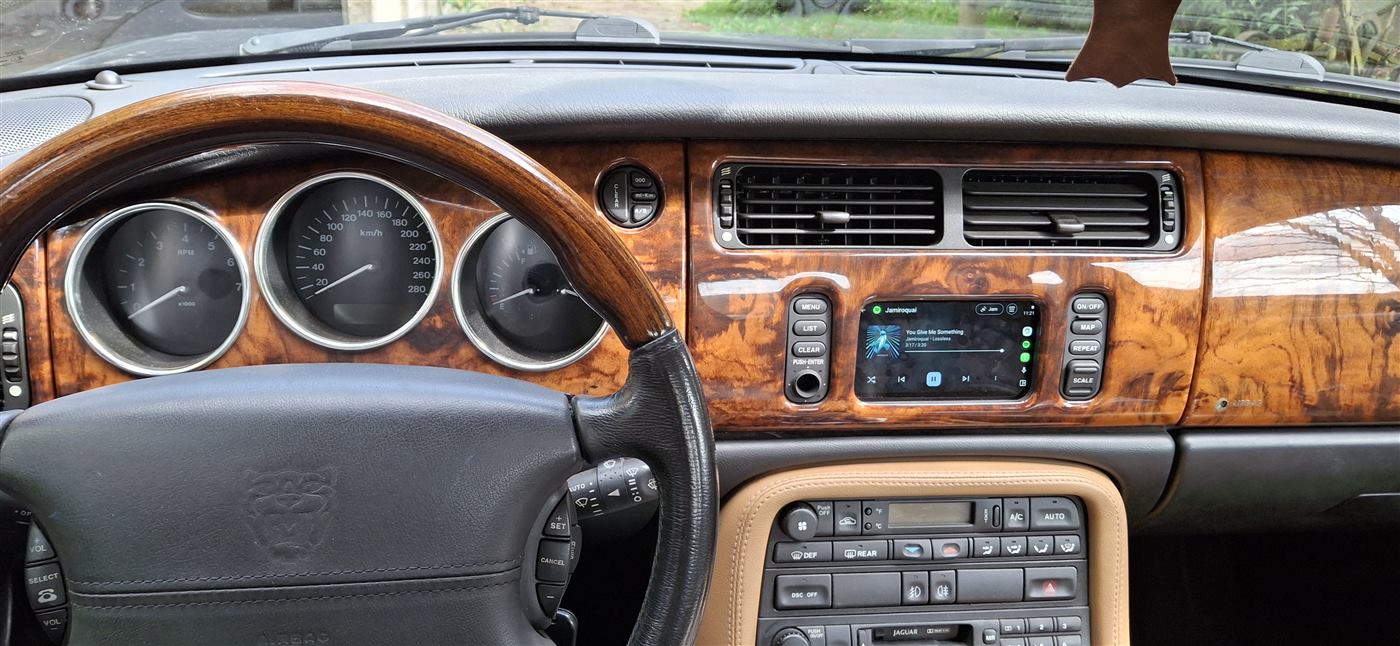
Fitting the screen
The navigation screen unit comes out easily, with 4–6 screws on the outside.
The new screen goes into the original bezel, so from the driver’s seat the dash looks the way Jaguar made it.
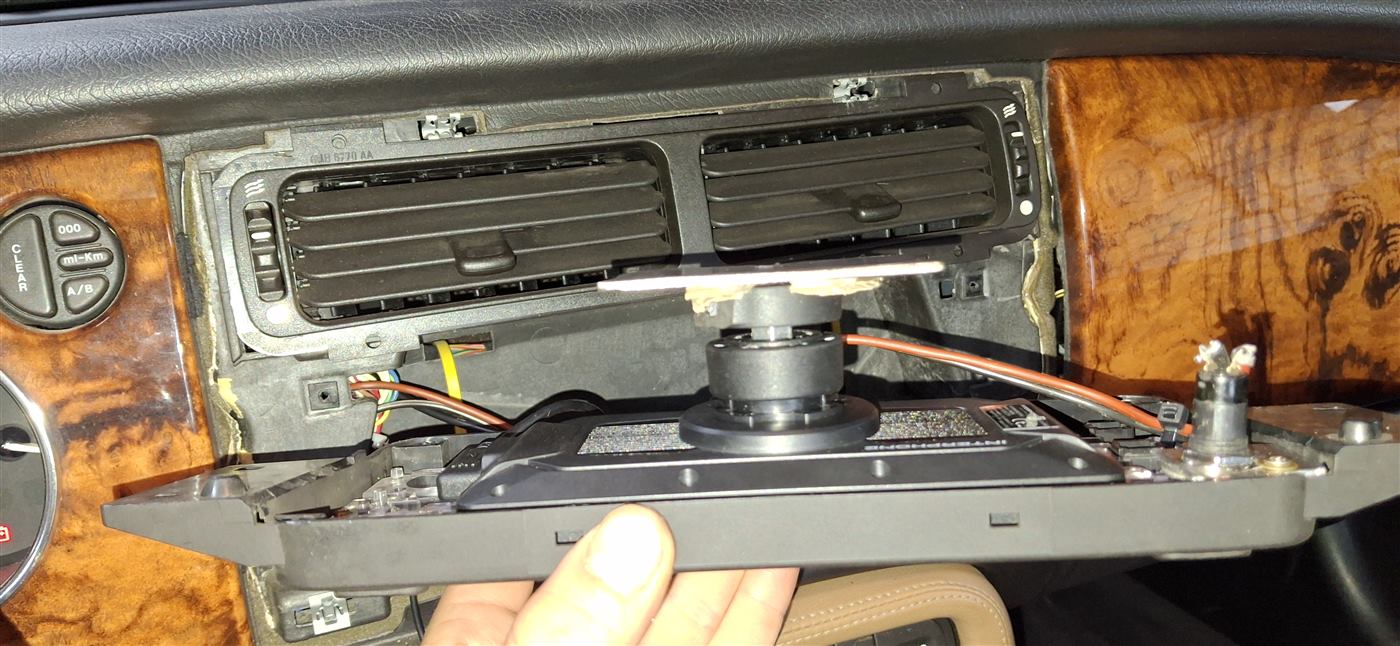
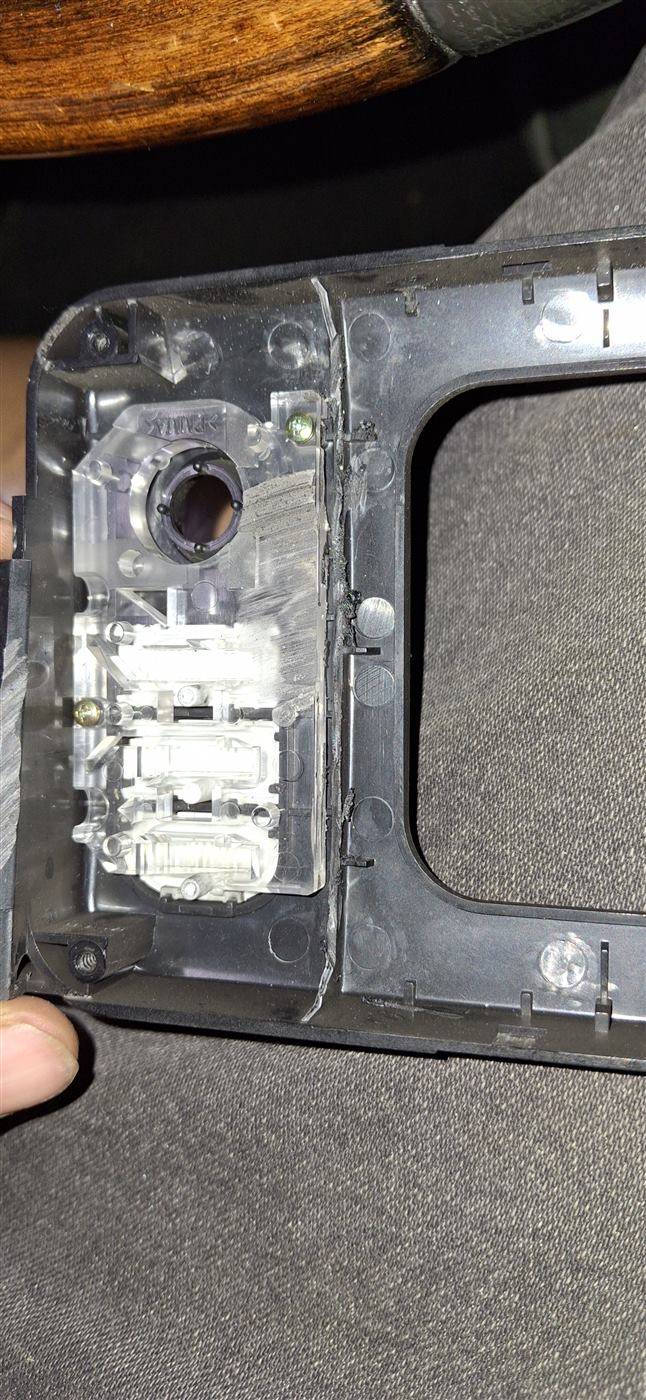
How the screen is held
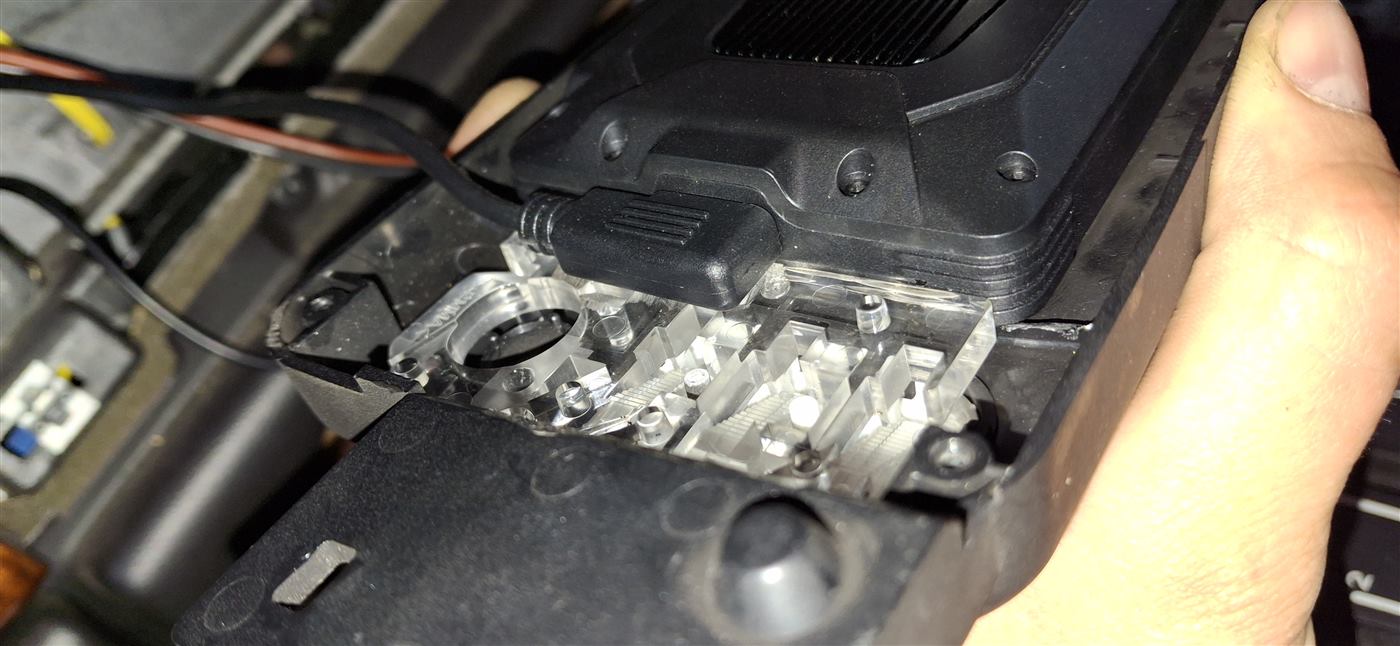
- Remove the electrical boards behind the bezel buttons. Behind them are the two original clear acrylic plates.
- Cut away the black plastic, including the black lip that’s in the way, until the two clear plates face each other. The screen clicks in between them.
- The screen comes with a Quad Lock mount for motorcycle handlebars. Cut it down so only the round Quad Lock interface is left, and attach a small metal plate (about 5 × 8 cm, with an 8 mm hole) to its back. The plate sits against the back of the box where the navigation unit used to be.
Wiring
- 12 V: from the radio’s 12 V wire, with a new cable up to the navigation area.
- Switched 12 V (ignition): the white/blue wire in one of the two navigation harness plugs.
- Ground: the black/pink wire in one of the two navigation harness plugs.
Why not take the 12 V from the navigation harness as well? In the XK8 it runs through a logic unit that can’t handle anything other than the original screen. So he took it from the radio, which was out of the dash anyway while he fitted the Bluetooth module.
Later he also added an on/off button for the screen, and he’s planning a separate panel for charging the phone.
Show details: parts and measurements
- Interphone RideSync55, 5.5″ wireless CarPlay / Android Auto screen
- JAGAUX Bluetooth module for the XK8 / XKR (Standard or Premium, see below)
- Quad Lock interface from the screen’s handlebar mount, cut down
- Metal plate, about 5 × 8 cm, 8 mm hole
- Optional: on/off switch for the screen
Fitting the Bluetooth module
Where the module goes depends on the audio system. Either way it takes the place of the CD changer, so the changer won’t play discs any more.
Standard or Premium
- Standard audio: the module connects at the radio, behind the dash.
- Premium audio (Alpine): the module connects in the boot. The microphone cable in the box is 3 m long, which doesn’t reach the front, so for calls you’ll need a microphone extension cable.
On cars from 2000 on, check for the amplifier in the boot before you order: Premium or Standard: which audio system does your Jaguar have? Step by step: Jaguar XK8 / XKR Bluetooth installation guide.
Conclusion
For the price of a motorcycle screen and my module, the XK8 gets live maps, Spotify and hands-free calls, and the dash still looks like a Jaguar.
Everything plays through the original radio and speakers, and the original buttons keep doing their job.
Would you fit a screen like this in your XK8 or XKR? Or maybe you’ve already found another way? Write in the comments. If you’re not sure which module your car needs, write to me at [email protected] with the model, year and a photo of the boot.